
Taskbar helper for Windows
Fast window management.
A modern taskbar helper.
Gather your open windows in one smart bar and keep your desktop clear.
Free · Windows desktop app
Don't get lost among your windows
- You lose track of which app is where.
- The taskbar gets crowded.
- Windows pile up and finding the right one takes time.
- Email, Excel, browser and ERP get mixed together.
WinsBar gathers them all in tidy tabs with live previews.
One bar. All your windows.
Scroll to see how WinsBar works.
-
01
Drag to reorder
Drag cards to change their order inside a tab and keep your most-used window first.
-
02
Floating card
Detach a card from the bar and move or resize it anywhere. The layout on the bar stays intact.
-
03
Live window cards
Open windows appear not as static icons but as small previews that keep updating. Click a card and the window comes to the front, or reopens if it was minimized.
-
04
Workspaces with tabs
Split your windows into colored tabs: email, Excel, browser, SAP... Click a tab and only that group's cards show, so your desktop stays uncluttered.
-
05
New windows land in place by themselves
Define rules by application name and window title. When Chrome, Outlook or SAP opens, its card is added to the right tab automatically. For a window no rule catches, just drag the target button onto it and drop.
-
06
Three view modes
In full size all cards are visible. In minimal mode the bar shrinks to a small floating strip. In hidden mode only a thin tab strip remains. Switching is instant.
-
07
Pin it like a taskbar
When WinsBar is pinned to the bottom of the screen, it reserves space from the work area like the Windows taskbar, and other windows never overlap it. Turn pinning off and the bar takes up less room.
And more
Small details that fit the way you work.
-

Ready from day one
On first launch pick an office, remote work, finance, SAP or a simple starter profile; tabs and matching rules come ready-made. A setup wizard asks for language, position and look step by step, and a short tour shows capturing, tabs and pinning on screen.
- Office
- Remote work
- Finance
- SAP
- Simple
-

Temporary workspaces
Open temporary tabs for today's job; windows are copied there and keep their place in the original tabs.
-

Bottom or right edge
Dock the bar horizontally at the bottom or vertically on the right edge, and keep horizontal space on wide monitors.
-

Left, center or right alignment
Cards line up left, centered or right, whichever suits the edge you work on.
-

Colored badges
Mark important cards with a symbol and a color so they stand out among dozens.
-

Keyboard shortcuts
Hide the bar or add the active window to the current tab with a single key combination. Shortcuts are customizable.
-
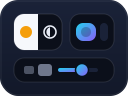
Personalization
Turkish and English interface, light and dark themes, bar thickness, card size and transparency. Optionally starts with Windows.
Get WinsBar for your PC
Setup takes minutes. A wizard and a short tour greet you on first launch.
Download WinsBar (Windows)WinsBar is a Windows desktop app. Open this page on your computer to download it.
- Version
- 1.0.6
- Size
- XX
- Requirements
- Windows OS
SHA-256 980ae5409cd6fdeb4be8ba9523431d1041e64818dd74f05af5e22950a1596e4d
WinsBar does not replace the Windows taskbar; it complements it.